Over the years, we've heard so much great feedback from educators using Teaching Strategies solutions such as GOLD, The Creative Curriculum, Tadpoles, ReadyRosie, and more. We have had the pleasure of implementing enhancements and new features directly based on this feedback, and are committed to continuing to do so. And in The Hub, we now have the capability for educators to not only submit their ideas directly to our product team, but to also discover what other educators are asking for.
Accessing The Suggestion Box
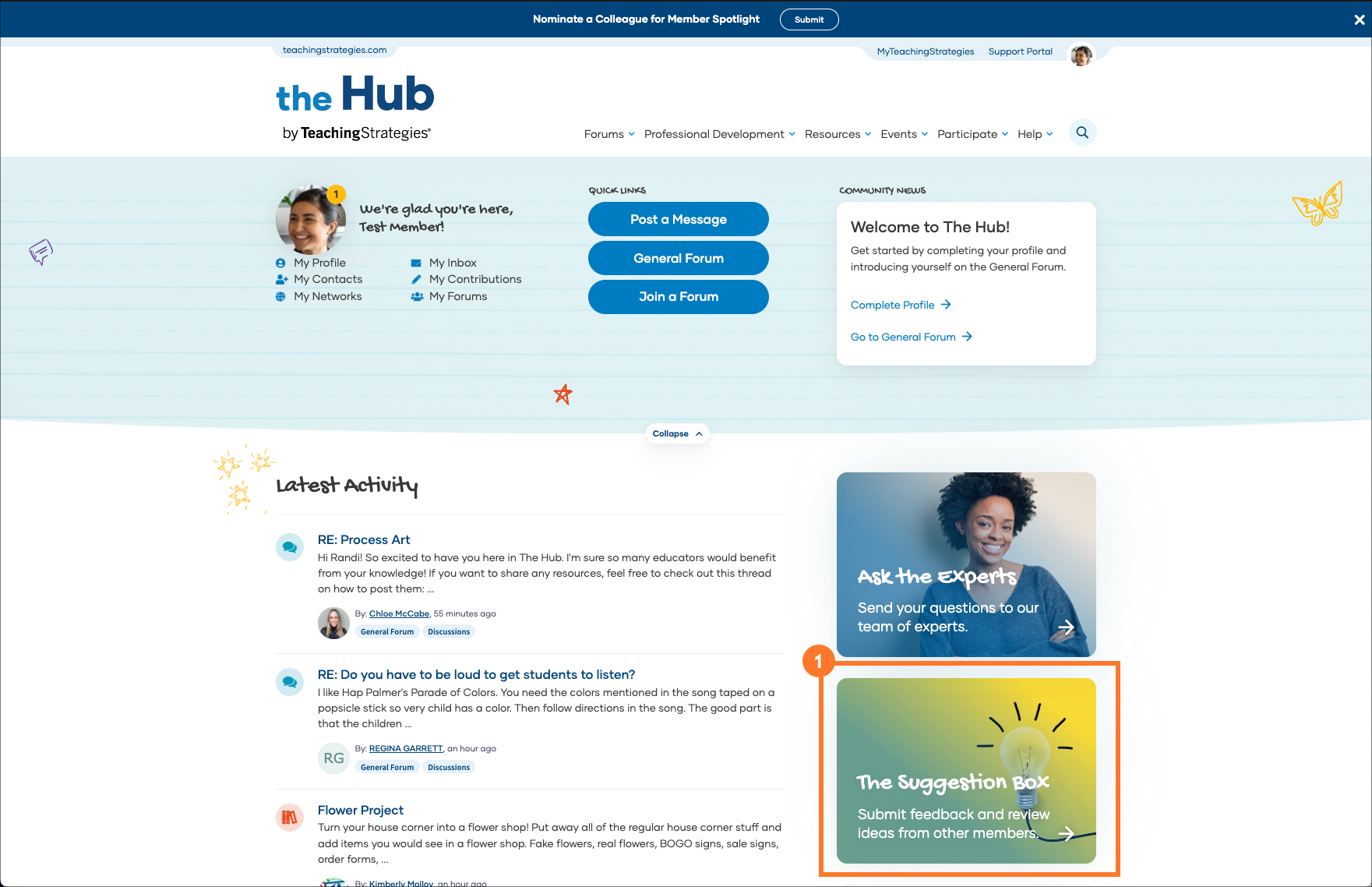
You can quickly access The Suggestion Box on The Hub home page (1).
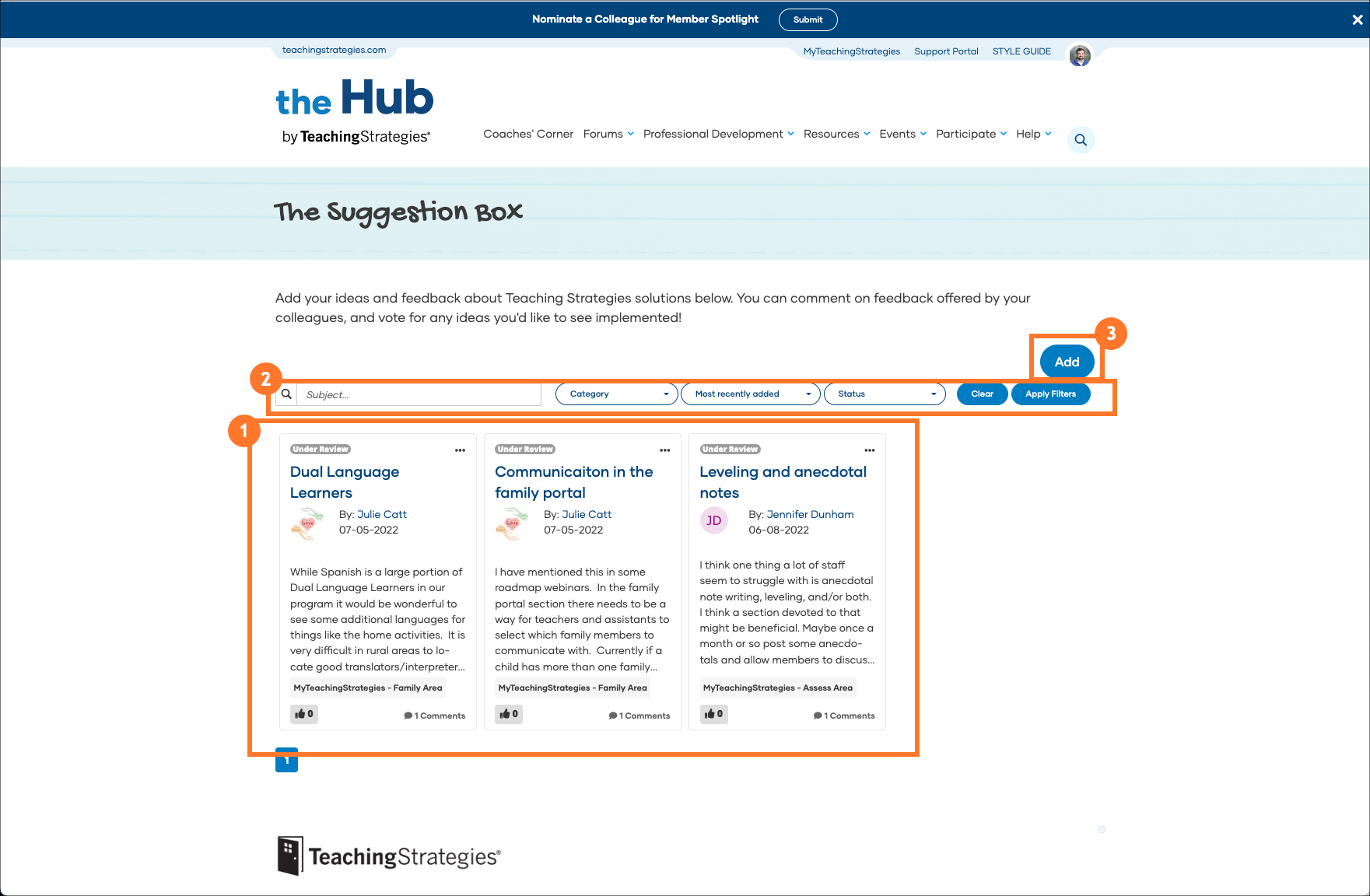
Here you'll find ideas already submitted by your peers (1), the ability to search for submitted feedback (2), and the option to add your own feedback (3).
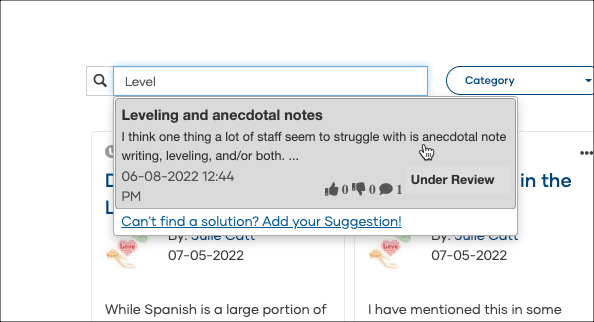
Searching for Existing Ideas
Before adding your feedback, check if that feedback has already been submitted by another educator. Use the search field or the filter options to search for similar feedback. Select any ideas that match your feedback.
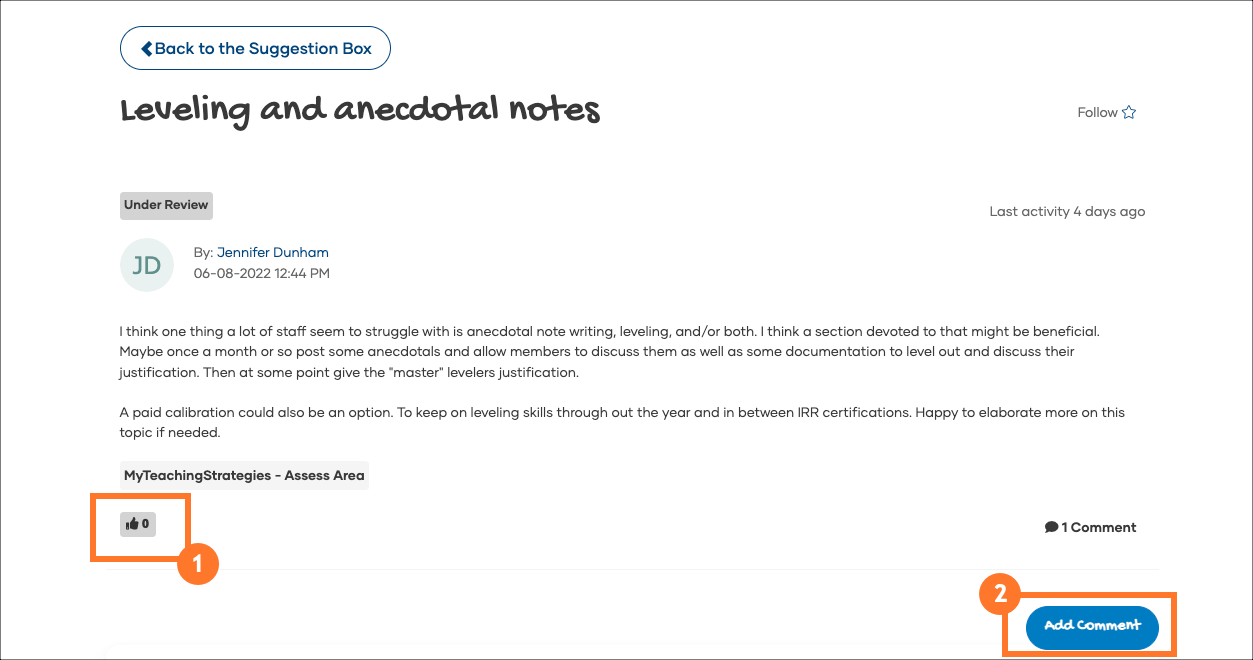
From this view, you can add your support to the feedback by selecting the thumbs up button (1). You can also add a comment and reply to other comments (2).
Adding New Ideas
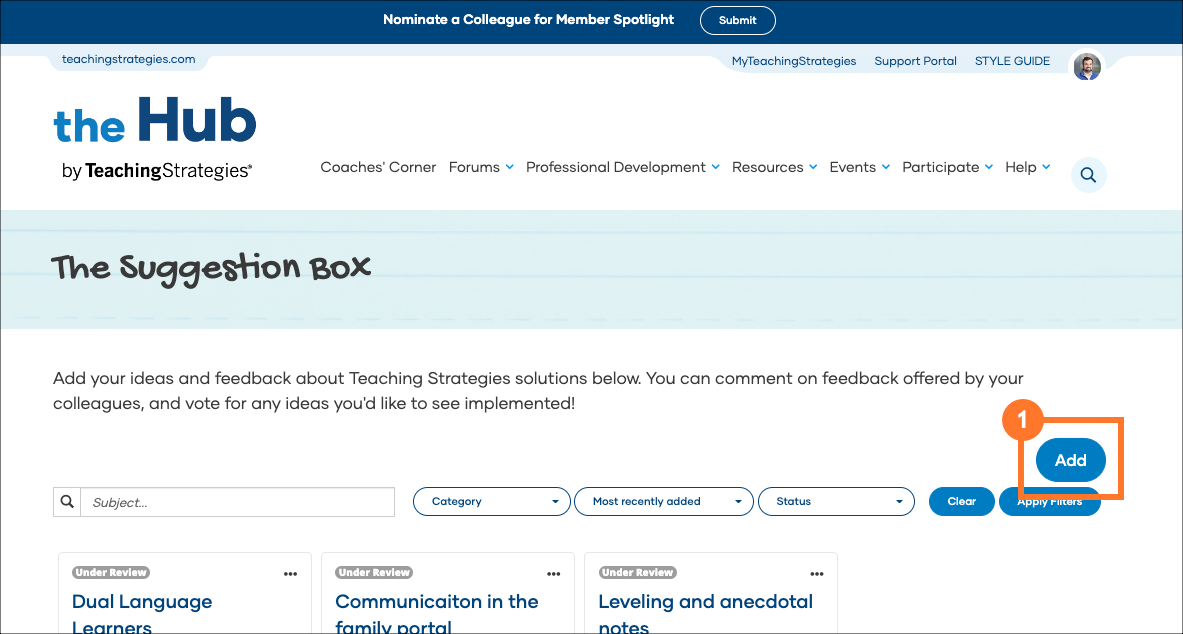
If you do not find your feedback already entered into The Suggestion Box, select the Add button (1) to add a new idea.
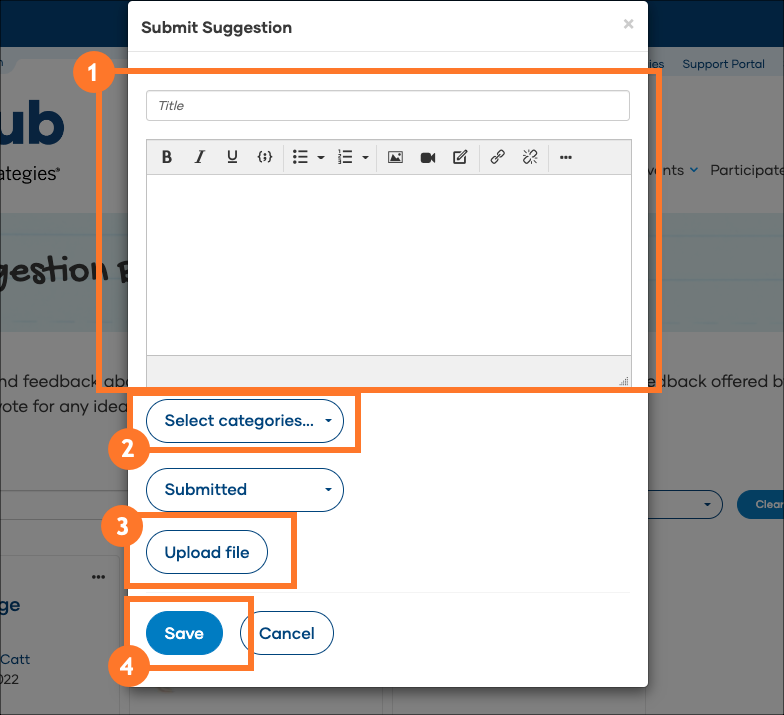
Complete the new idea form with the following information:
- Add a title and idea details (1)
- Select one or more categories (2), which help identify the solutions (or parts of MyTeachingStrategies) the idea is for
- Select Upload File (3) if you have an accompanying image or other file (this is optional)
- Select Save (4) to enter your idea to The Suggestion Box.
Idea Statuses
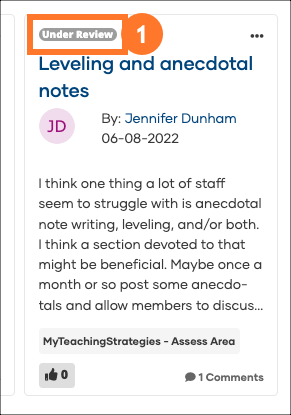
Teaching Strategies' product team will periodically review the ideas educators have added to The Suggestion Box. As ideas are reviewed, considered for development, and potentially developed and released, the team will update the status for each idea. You can find the status for each idea directly on the idea tile (1).
Here are the statuses you will find in The Suggestion Box:
| Status |
Description |
| Submitted |
Idea has been submitted to The Suggestion Box, but the Teaching Strategies product team has not yet reviewed. |
| Under Review |
The Teaching Strategies product team is currently reviewing the idea for possible inclusion on development roadmap. |
| Planned |
The idea has been added to Teaching Strategies's development roadmap, or is already planned. |
| Not Planned |
The idea is not planned at this time, but will remain accessible in The Suggestion Box for commenting and voting. |
| In Development |
The idea is being worked on by the development team. |
| Released |
The idea has been developed into a new feature or enhancement, and has been released to educators. |
| Duplicate |
The idea was previously submitted by another educator. |